

Object Designer
Create and manage any database object through a clean, tabbed interface - eliminating clutter, guiding your workflow, and ensuring accurate configurations without writing raw DDL.
Table Designer
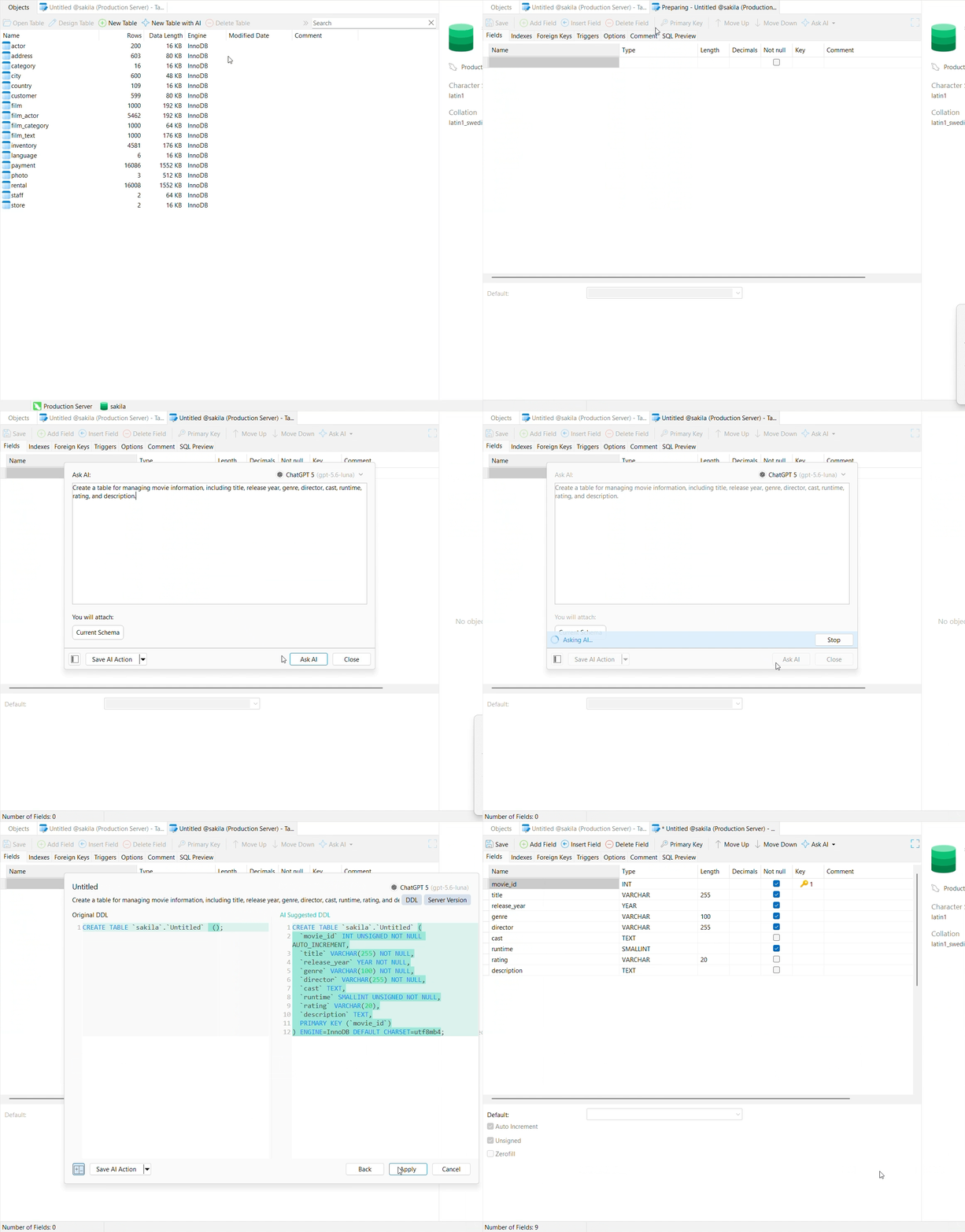
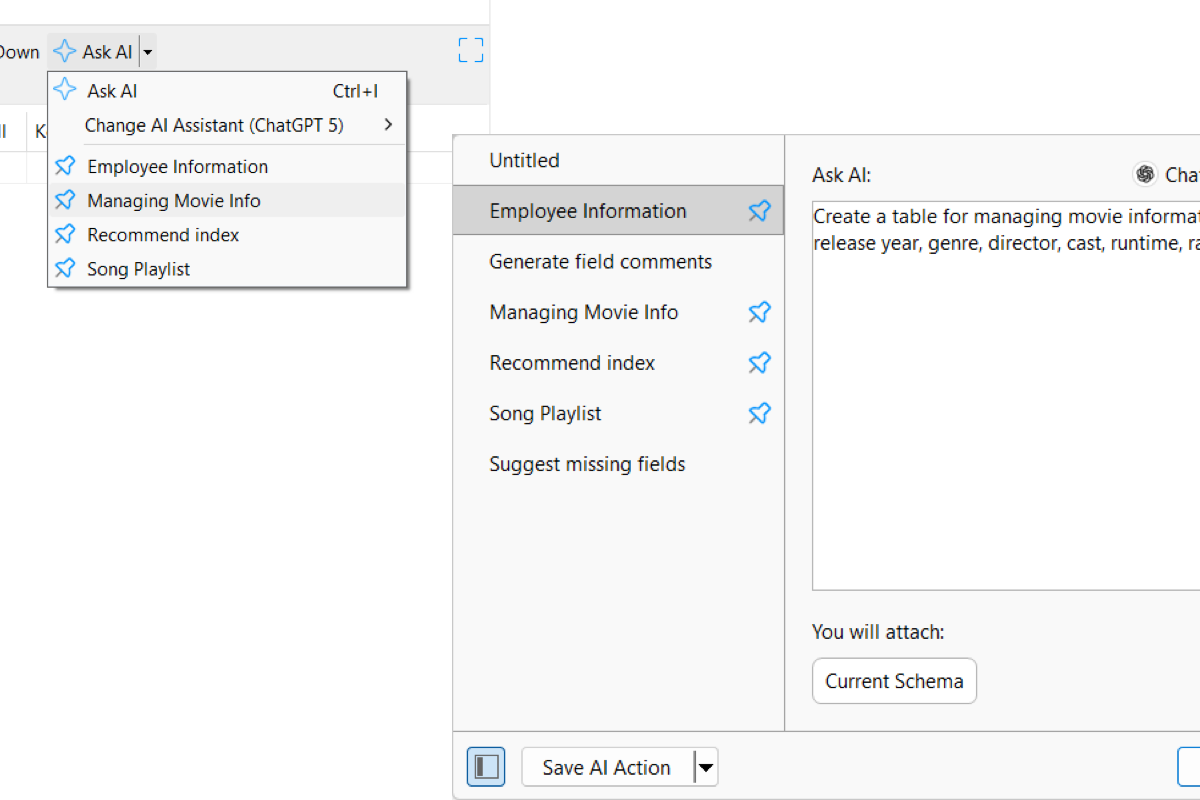
Create Tables with AI
Type a quick instruction like "Create a playlist table with song title, artist name, track length, and stream count" and AI handles all the column names and data type setup in seconds.

AI Table Assistant
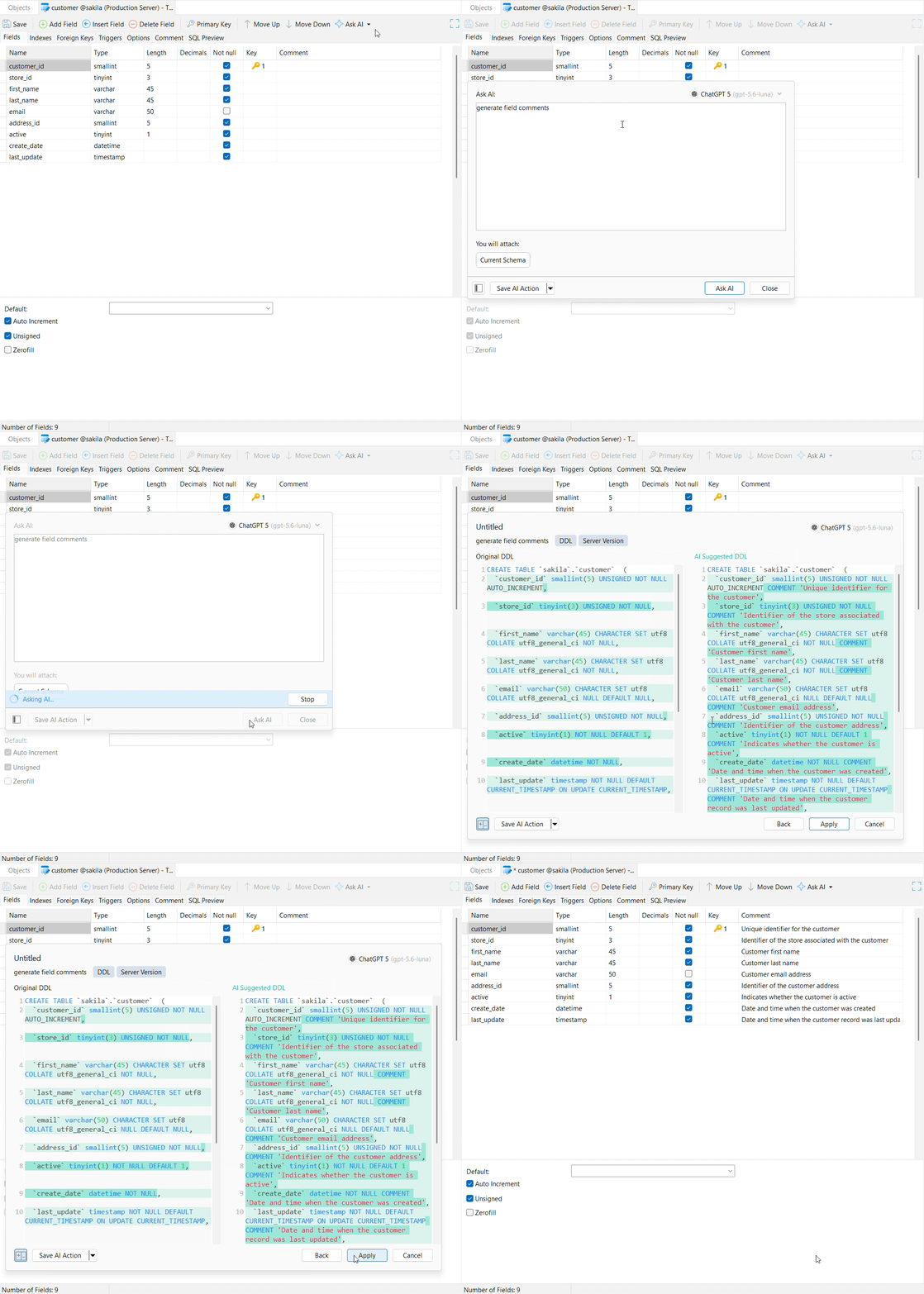
Beyond building brand-new tables from scratch. Ask AI analyzes your existing table structure to help you:
Suggest missing fields: Instantly spot forgotten columns like status, discount_amount, or currency.
Generate field comments: Write clear descriptions for every column in your table.
Audit data types: Get recommendations for better data types to save storage space and improve performance.
Recommend indexes: Identify high-traffic columns that should be indexed for faster searches.
And more: Ask custom questions to get AI assistance for any other database design needs.
Auto-Fill Comments
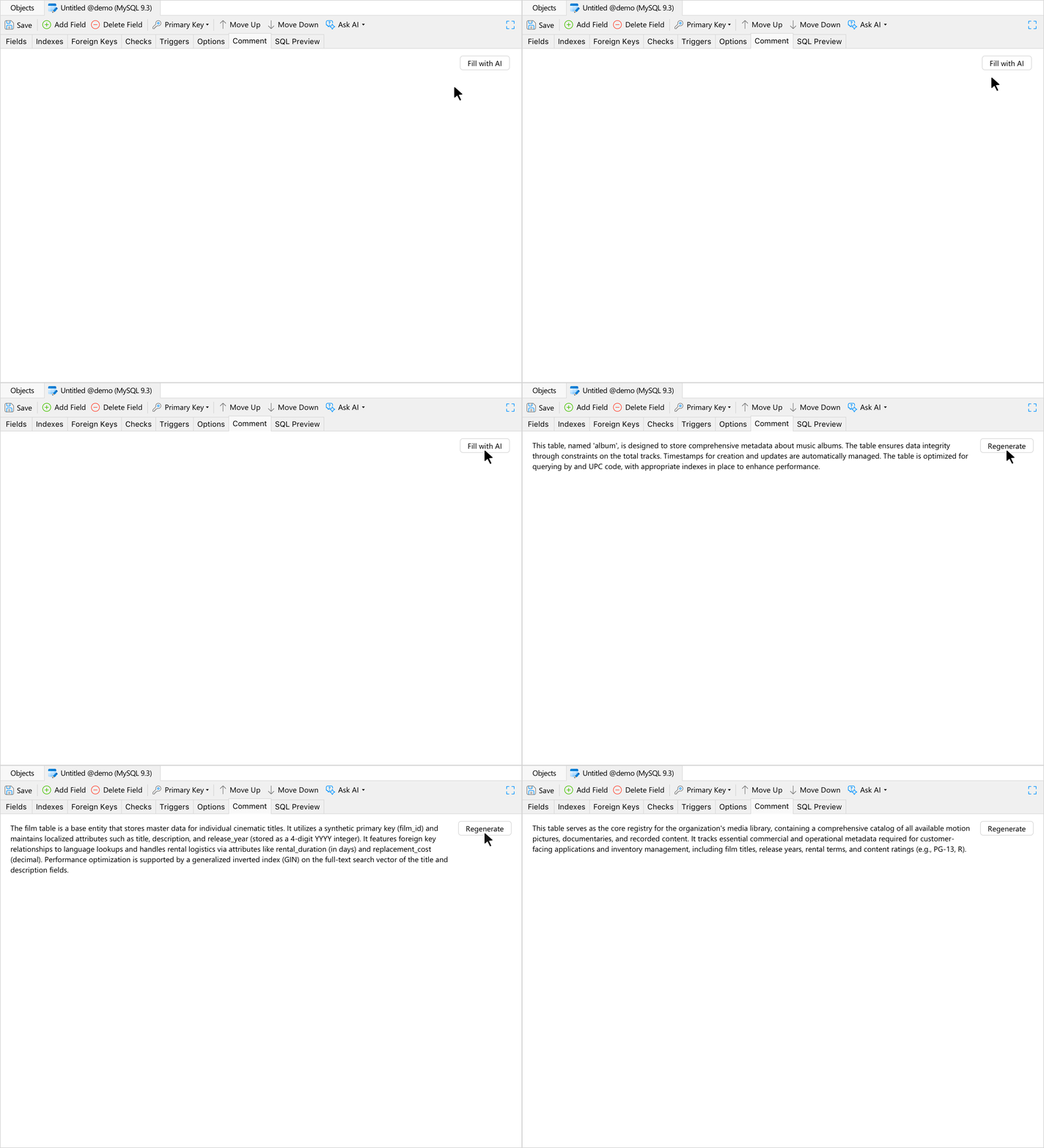
In the Comment tab, click Fill with AI to automatically generate a clear summary of what the table does based on its fields and relationships.
Save AI Actions
Store your go-to AI prompts as custom actions so you can reuse common instructions anytime without retyping them.
View Designer
Navicat lets you construct, edit, and optimize both standard and materialized views using your preferred workflow - whether you prefer writing raw SQL or visual drag-and-drop building.
SQL Editor & Performance Tools
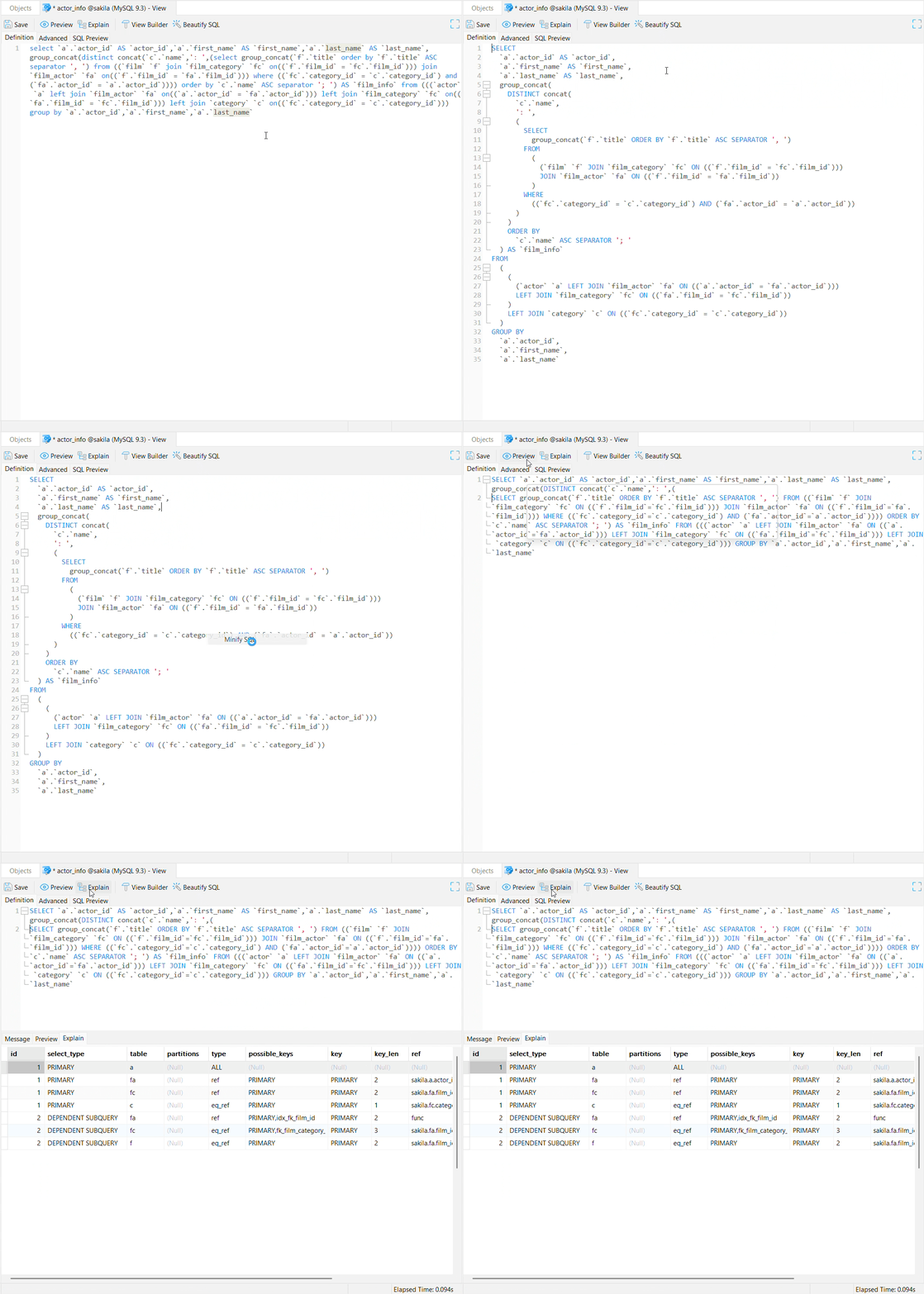
Write and fine-tune SQL view definitions with built-in preview and optimization tools:
Live Data Preview: Test your view instantly and review the returned dataset in the bottom pane before saving changes.
Execution Plan Analysis (Explain): Inspect query execution details (EXPLAIN) right inside the editor to spot join bottlenecks early.
One-Click SQL Clean Up: Clean up messy code using Beautify SQL or condense long scripts with Minify SQL.
Visual View Builder
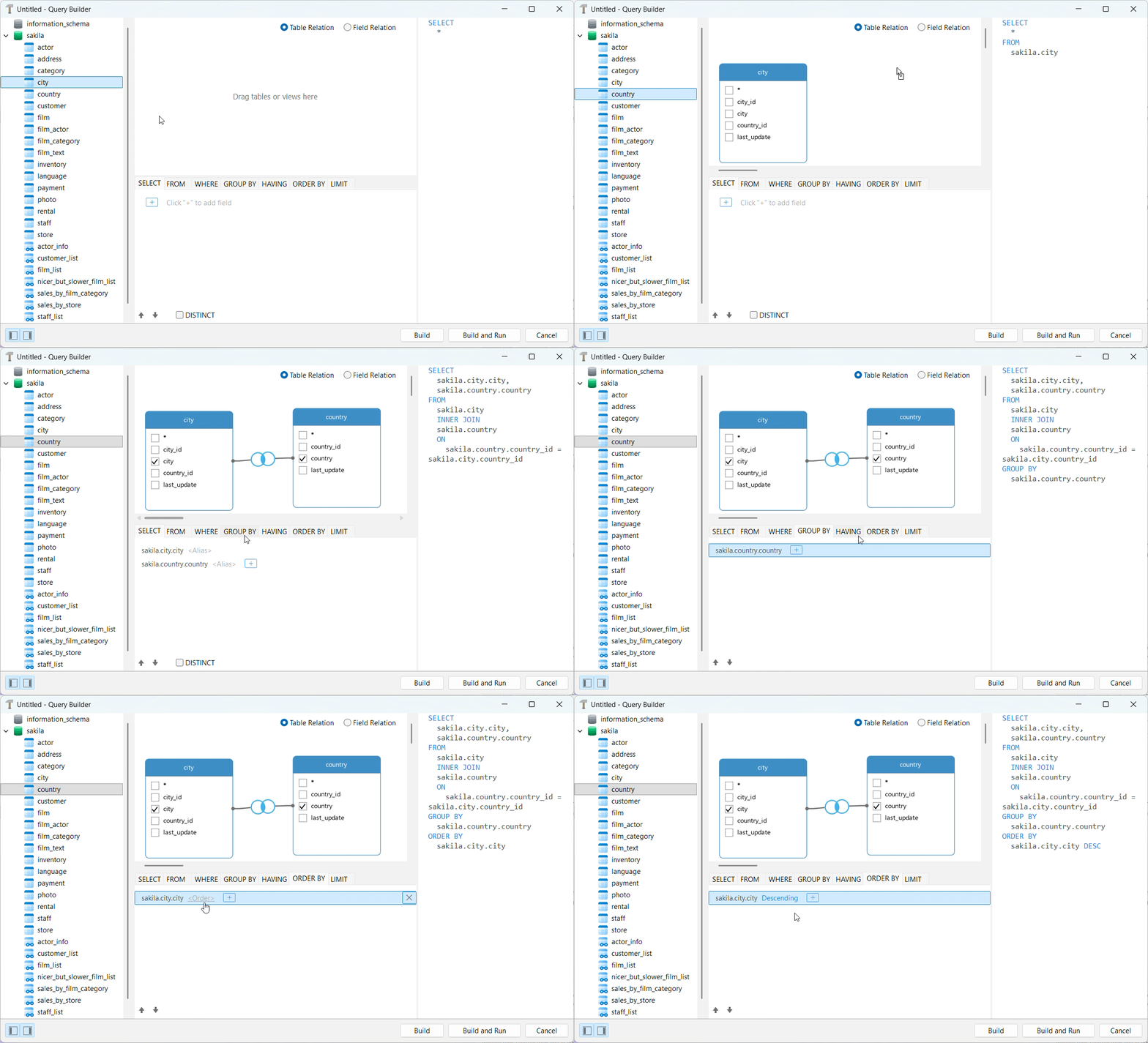
Build complex view queries visually without writing code by hand:
Drag-and-Drop Diagramming: Drop tables onto the workspace and connect key fields to generate complex JOIN logic automatically.
Visual Clause Setup: Easily set up filters, aggregations, and sorting using visual tabs for WHERE, GROUP BY, HAVING, and ORDER BY.
Real-Time Code Sync: Watch your SQL query take shape instantly on screen as you select fields and connect tables.
Learn more in Query Builder.
Function / Procedure Designer
PL/SQL & PL/PGSQL DebuggerPL/PGSQL DebuggerPL/SQL Debugger
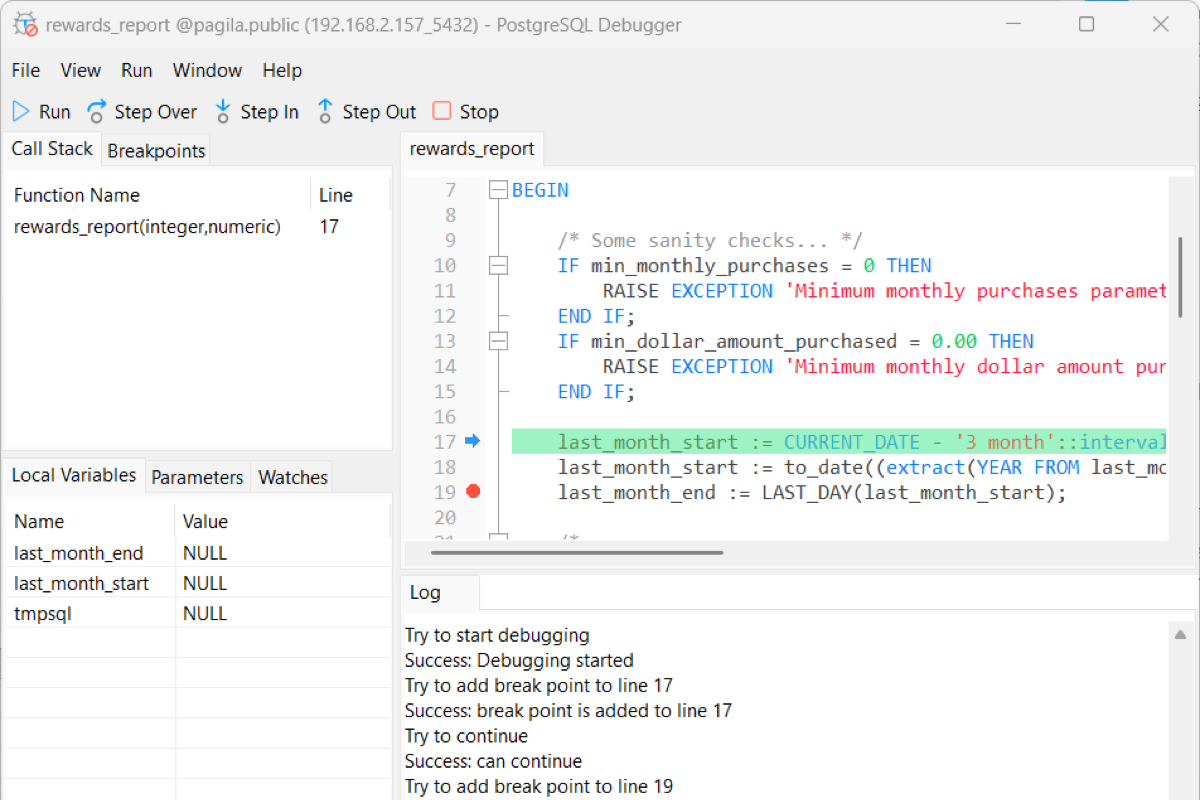
You can troubleshoot complex server-side logic instantly. Set breakpoints, step through code line-by-line, and inspect runtime data directly within the designer - no extra external tools required.
● Interactive Breakpoints
● Live Variable & Watch Management
● Call Stack & Parameter Tracking
● Execution & Output Log
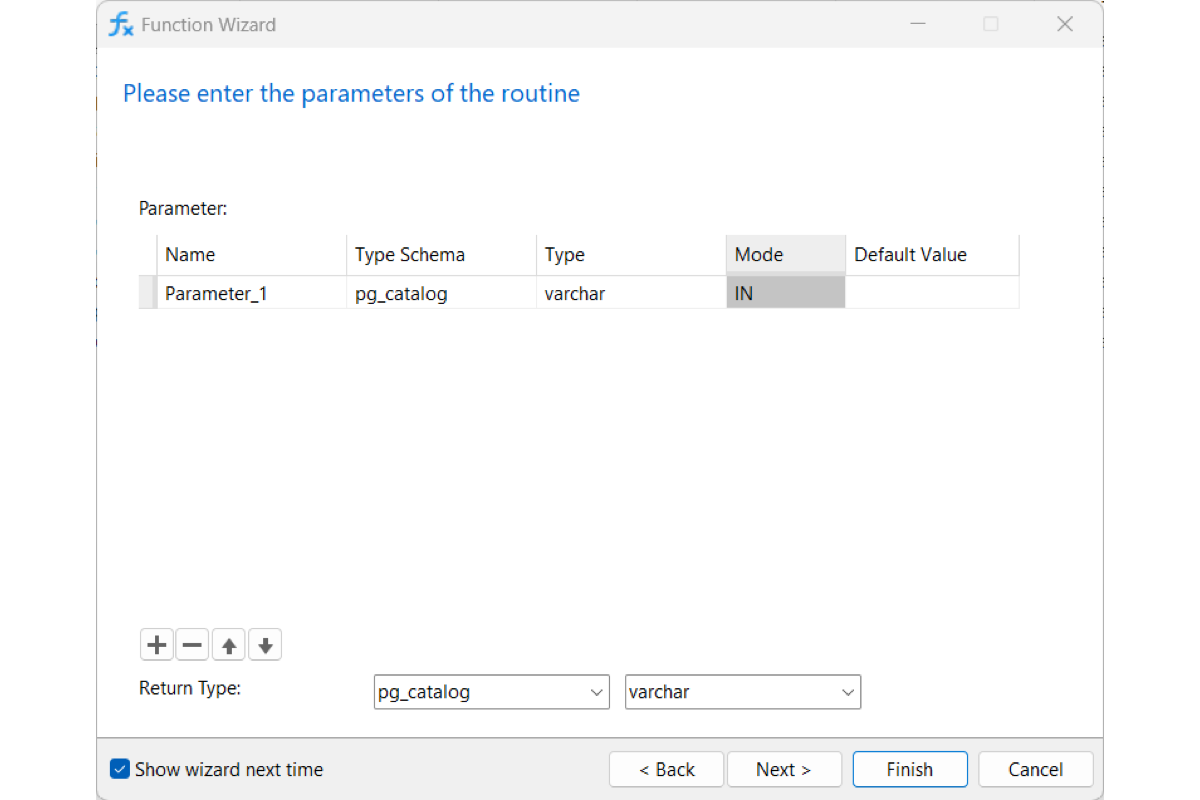
Guided Setup or Direct Coding
Beginners can rely on the step-by-step wizard to define parameters, types and other settings, while power users can easily turn off the wizard to skip straight to hand-coding raw definitions.
SQL Preview
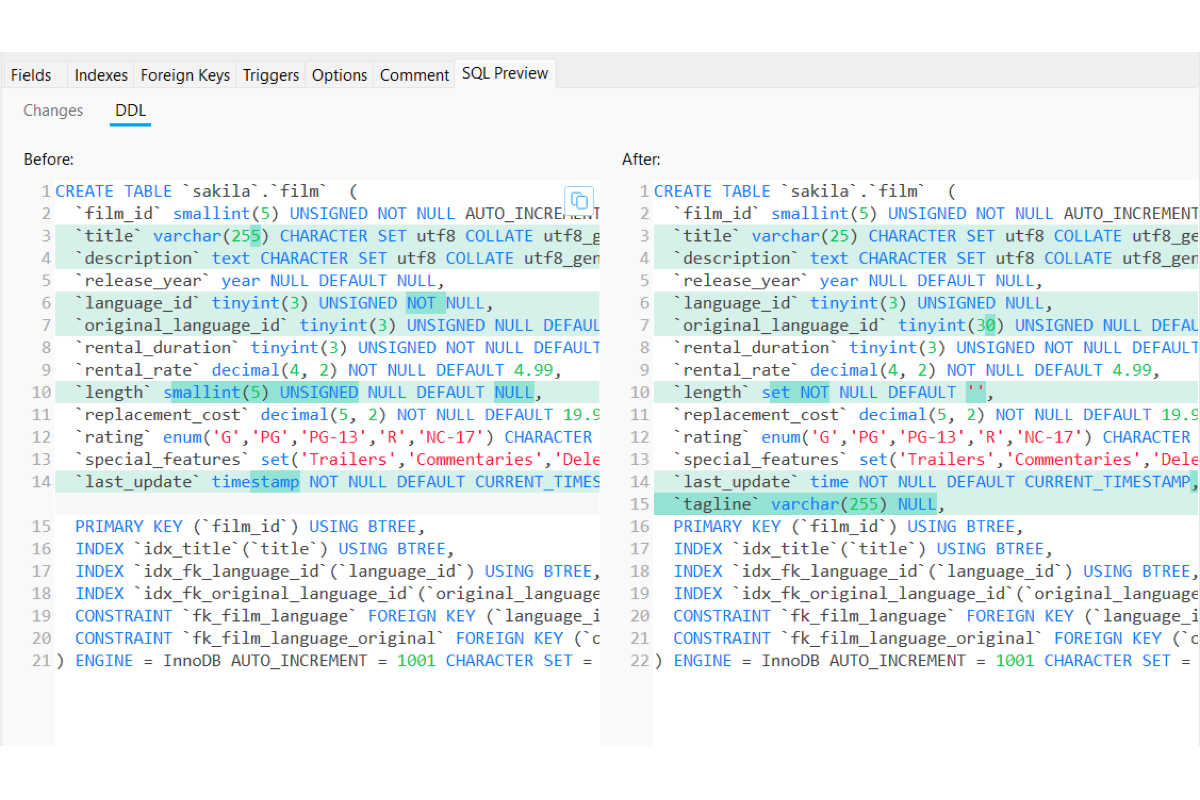
Available across all object designers - inspect every generated script before committing changes to live servers. Navicat gives you complete visibility into database updates through two dedicated views:
Changes View: Review the exact SQL statements generated automatically as you make changes on screen.
Side-by-Side DDL Diff: Compare your full table definition "Before" and "After" side-by-side, with additions and updates highlighted in color so you can spot unexpected changes instantly.