

Query Editing
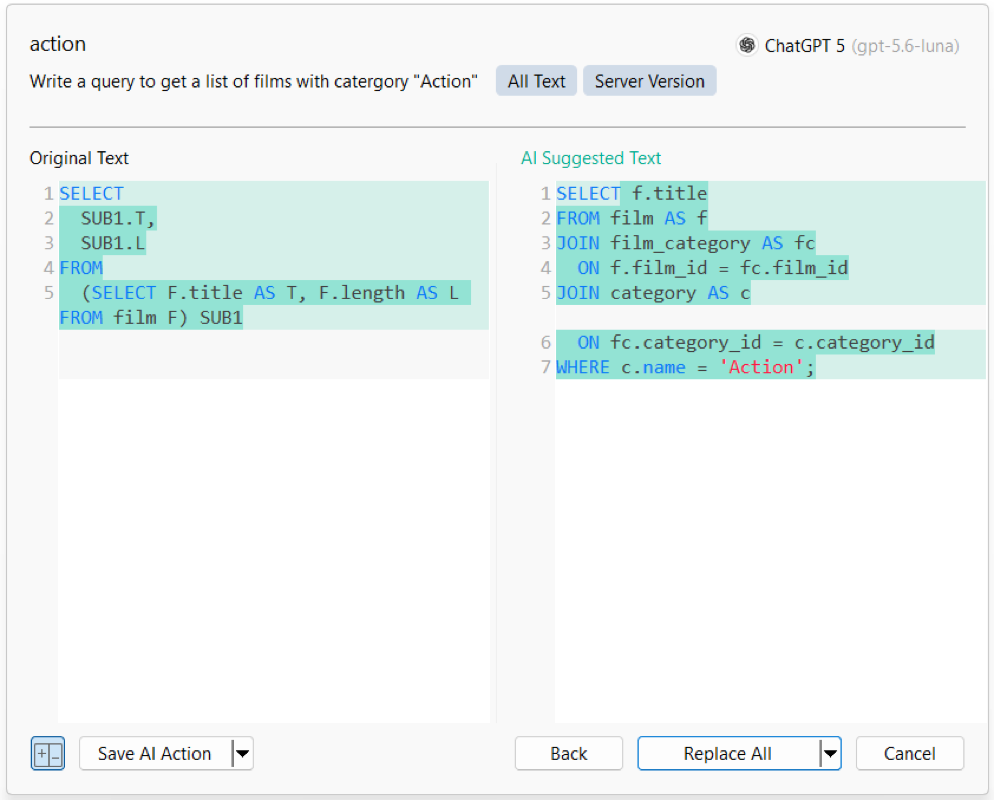
Ask AI
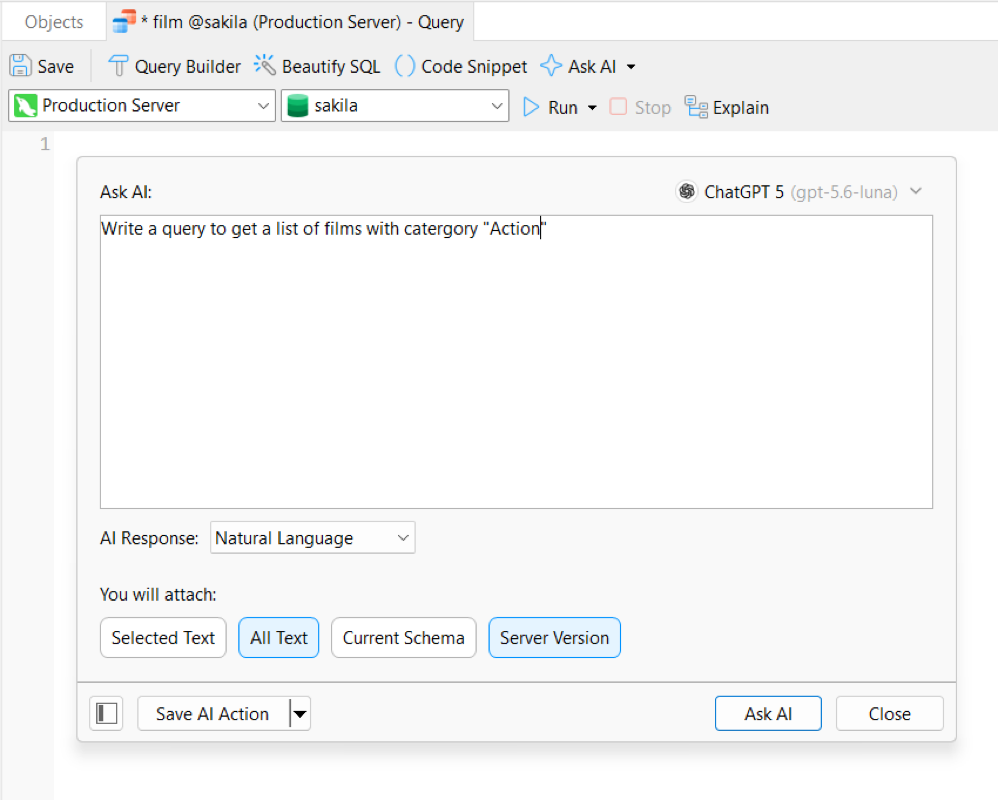
Natural Language to SQL
Turn plain text descriptions into complete SQL queries. Ask custom questions and attach schema details to get targeted AI help for your project.

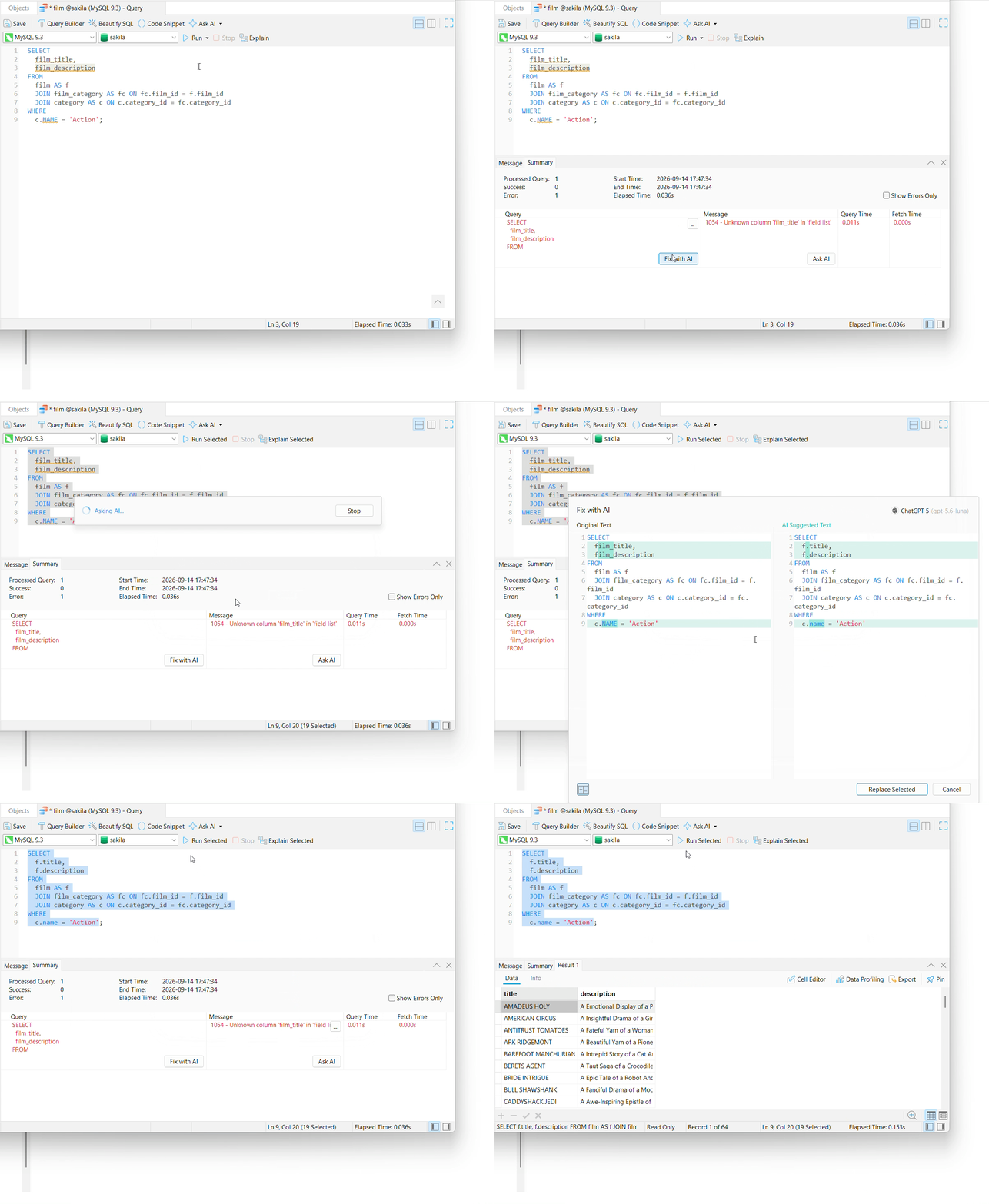
Instant SQL Debugging
Find and fix errors automatically. AI scans your code to suggest immediate fixes for everything from simple typos to complex logic bugs in seconds.
Built-in AI Query Utilities
Use built-in actions to deconstruct query logic, auto-format syntax, boost performance, and adapt SQL seamlessly for any supported database engine.
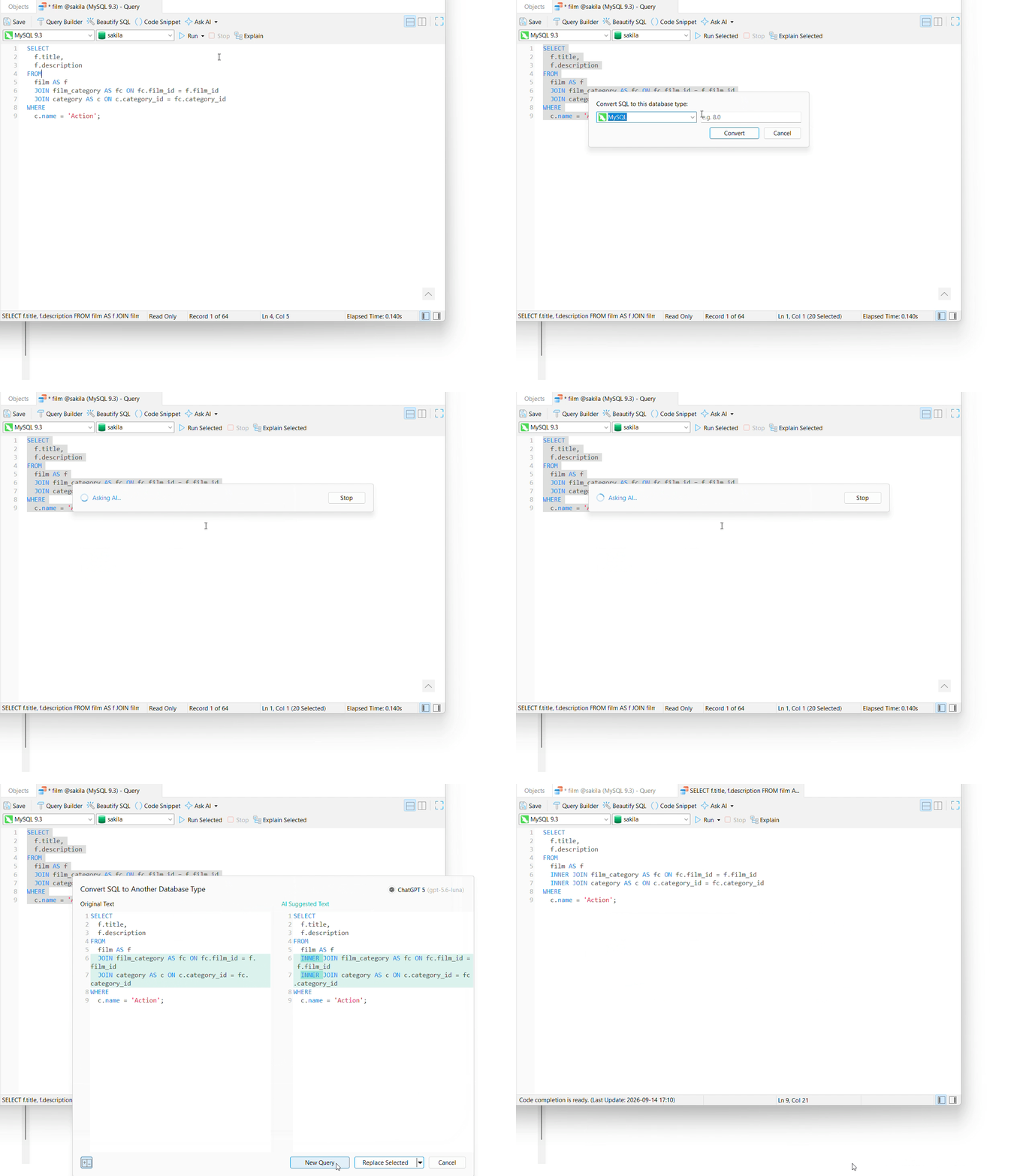
Safe Reviews & Smart Shortcuts
Easily review AI-suggested code side-by-side with visual diff highlighting before execution, and pin your favorite actions to the toolbar for one-click access.
Visual Query Builder
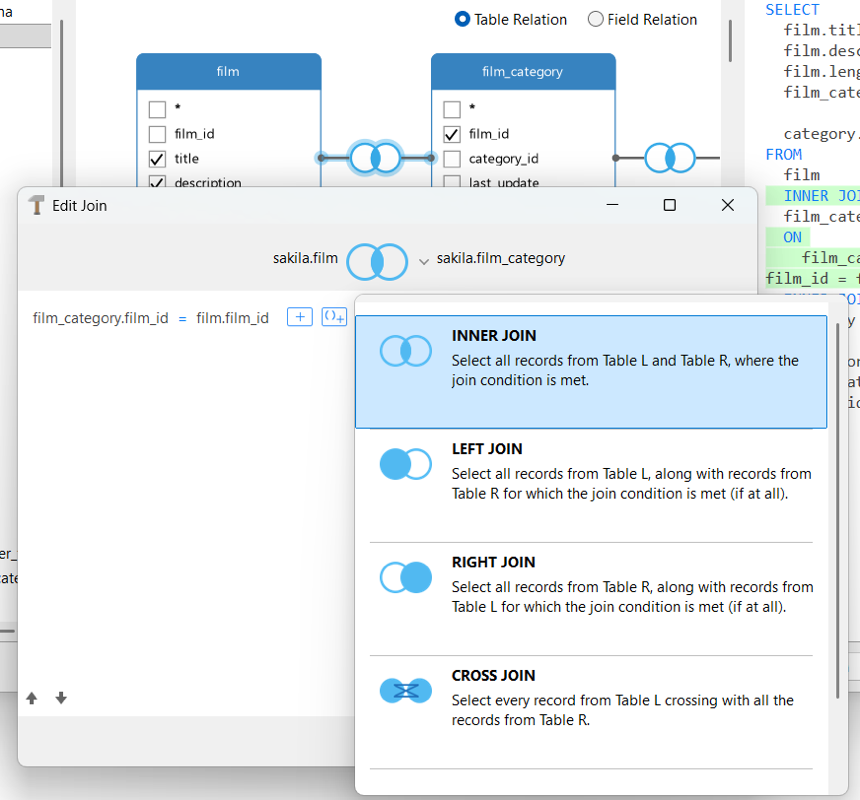
Drag-and-Drop Canvas & Seamless Joins
Drag tables and views onto the canvas to map field relationships, assign custom aliases, and visually configure INNER, LEFT, RIGHT, or CROSS JOIN types using drag-and-drop connectors.
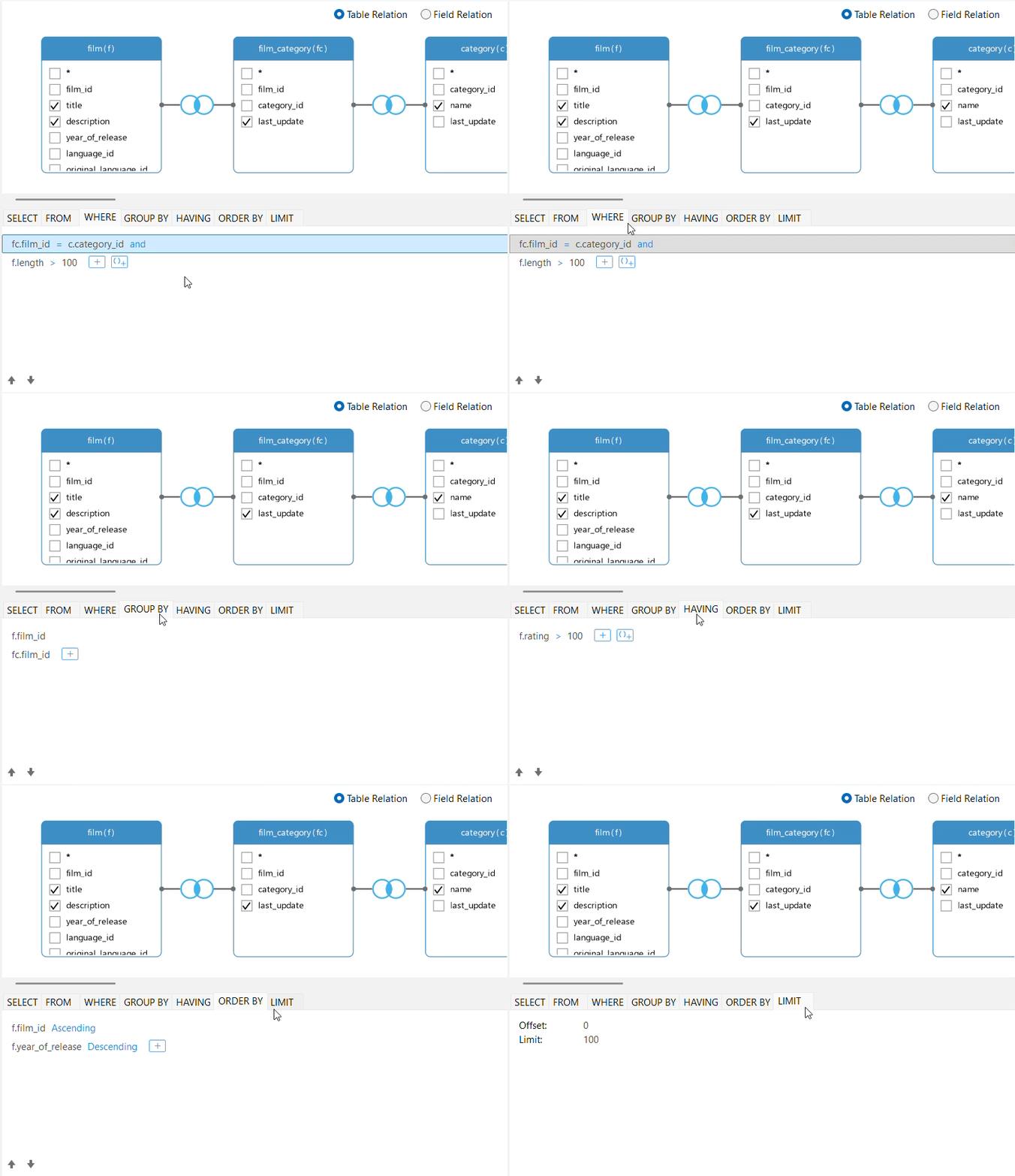
Precision Logic & Clause Control
Fine-tune query logic using dedicated tabs for WHERE, GROUP BY, HAVING, ORDER BY, and LIMIT to set filter criteria, manage aggregate rules, toggle AND/OR logic, and restrict result sets.
Visual Subqueries & Expressions
Introduce custom expressions and nested subquery layers directly into the diagram to handle functions, conditional logic, and query structures visually.
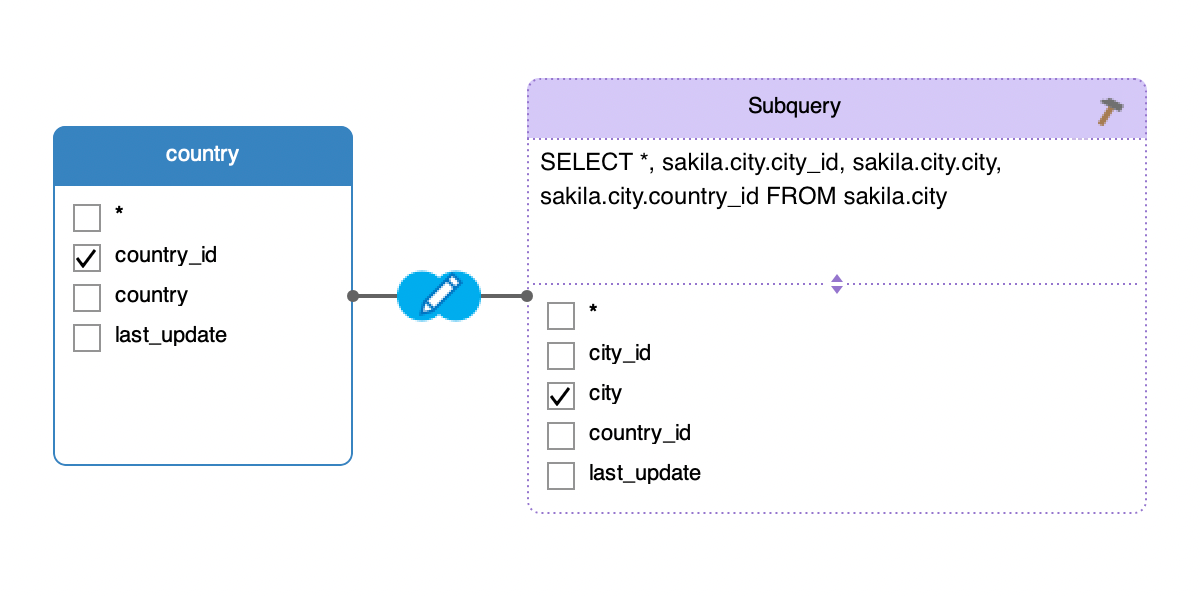
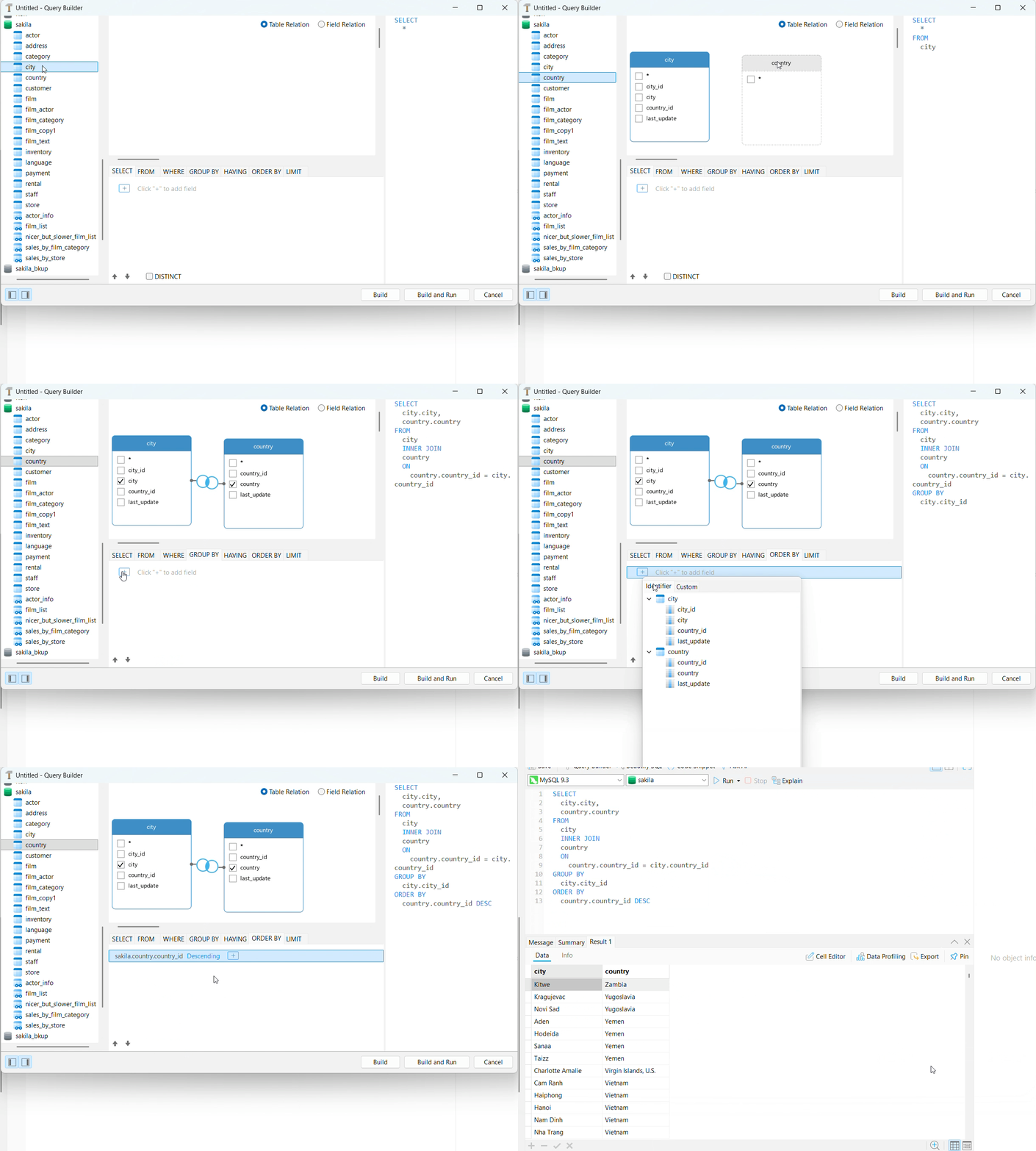
Dual-Pane Dynamic Sync
Real-time synchronization between the visual canvas and the underlying SQL Syntax pane, allowing you to verify code as you build.
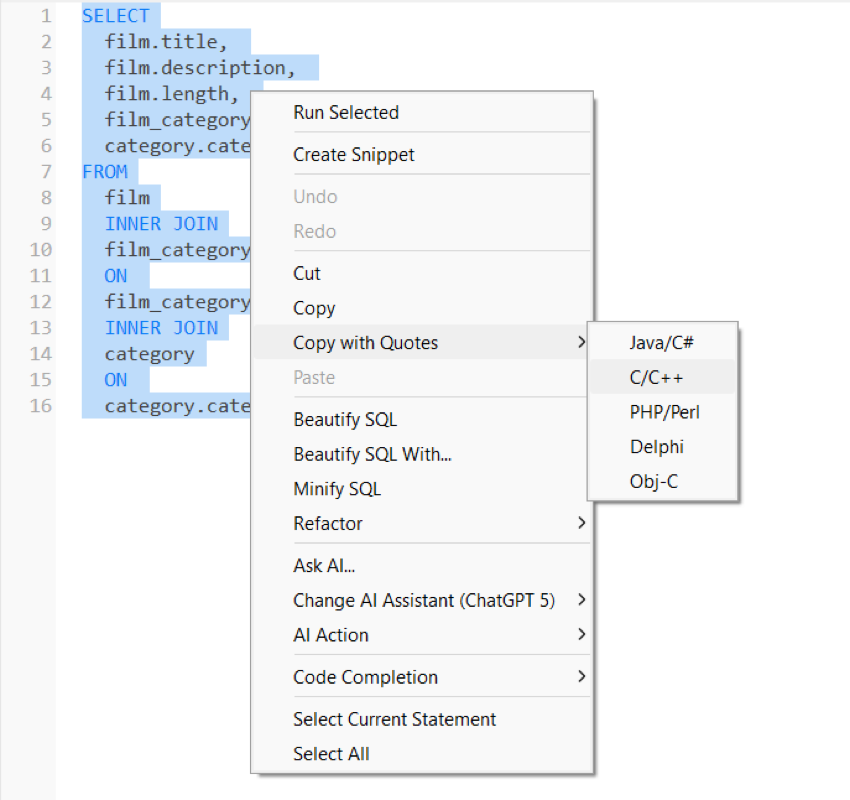
Format SQL & Copy with Quotes
Format messy SQL, adjust indentations, toggle casing, and fold code blocks to keep complex scripts clean and easy to read. You can also right-click any statement to copy it directly into programming languages with proper quotes.
Code Snippets
Access & Save Custom Snippets
Search pre-built templates or build custom snippets your way, either manually from scratch or instantly from highlighted editor code.
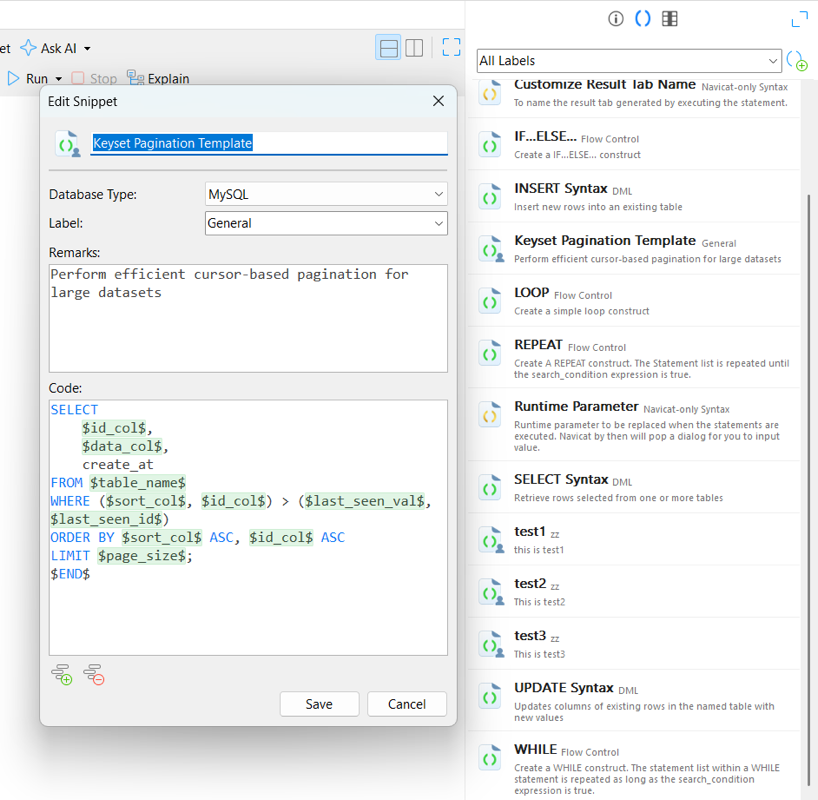
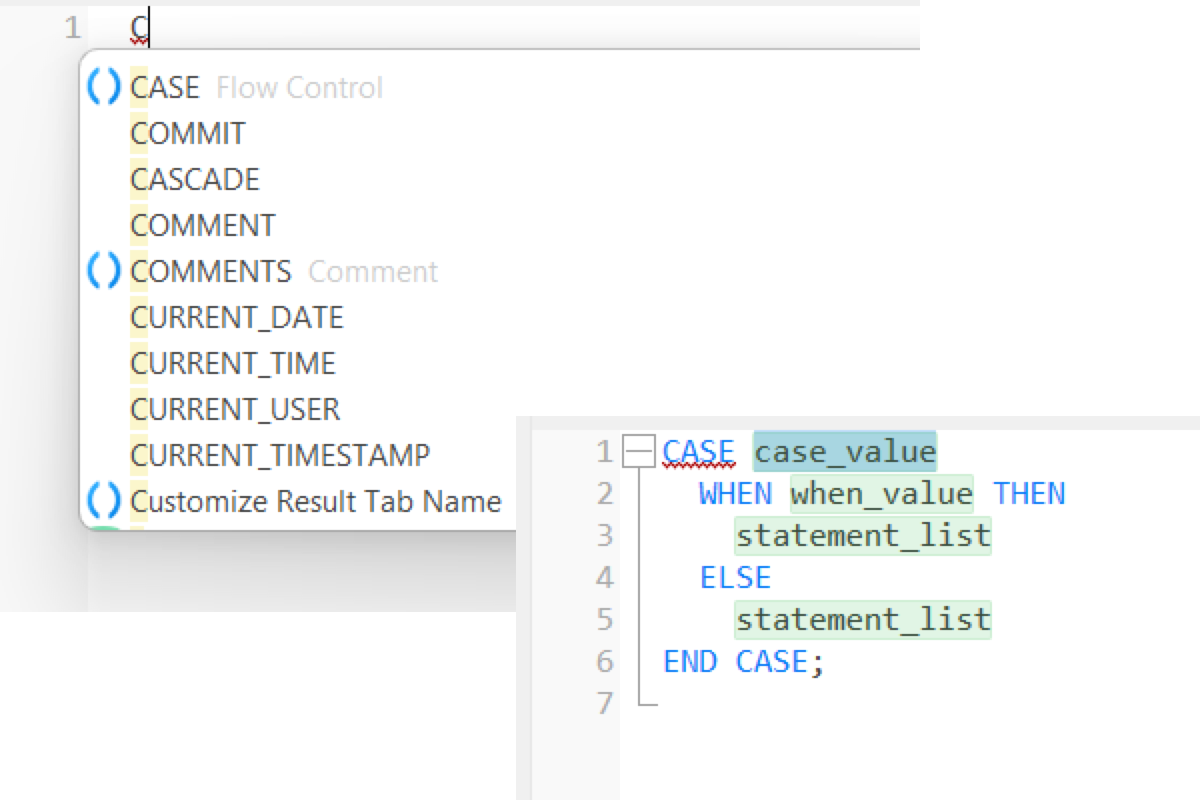
Accelerate Coding with Smart Placeholders
Insert snippets effortlessly via auto-complete or drag-and-drop. Use Tab navigation to jump between parameter placeholders for zero-friction editing.
Visual Explain & Query Optimization
See exactly where your database is spending time. Visualize execution steps, isolate costly joins, and eliminate latency before it hits production.
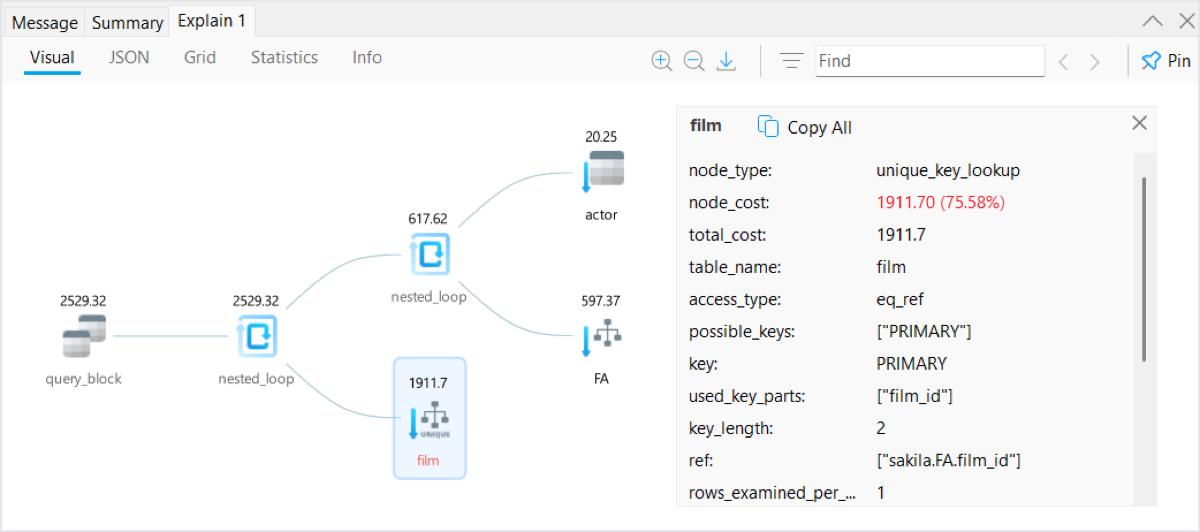
Spot Bottlenecks Instantly
Map query steps visually with red-highlighted cost thresholds. Toggle effortlessly between visual diagrams, data grids, raw text, and JSON views for complete visibility.
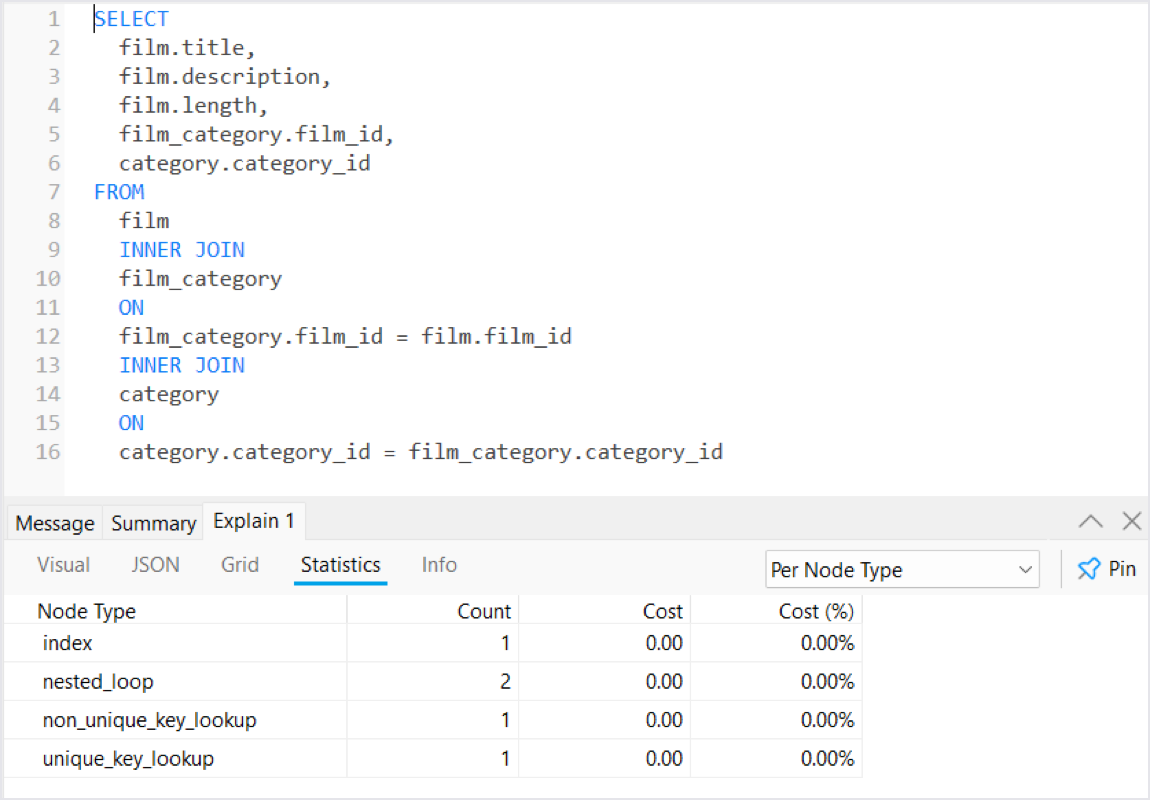
Audit Performance Down to the Node
Analyze index efficiency, scan types, and join behavior broken down by relation. Track overall database health with clear metrics for elapsed time, query execution, and data fetch times.
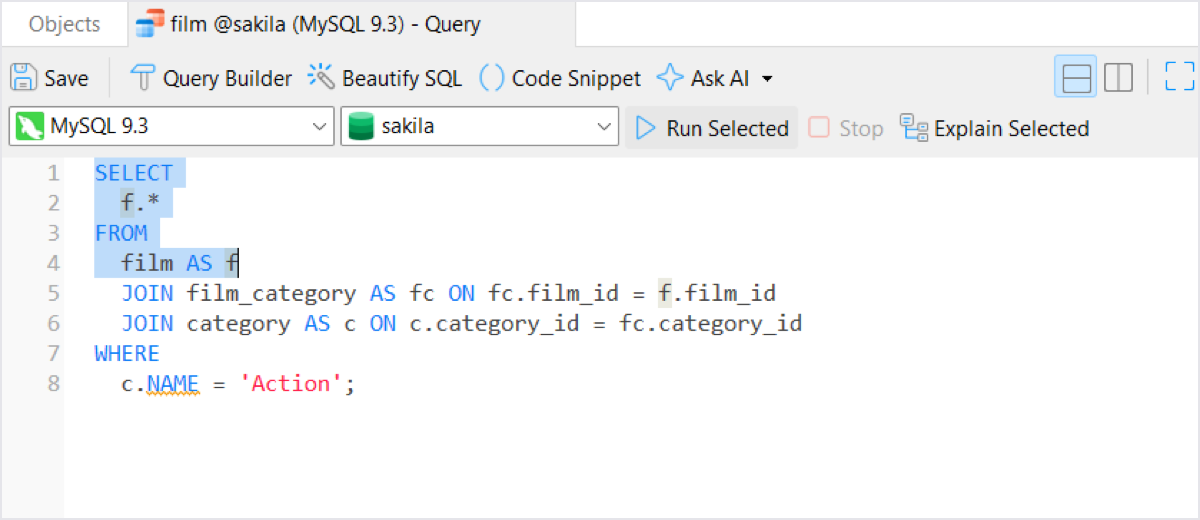
Targeted Code Analysis
Highlight any statement or subquery to isolate and inspect its execution path. Safely diagnose heavy joins in massive SQL files without running surrounding code.
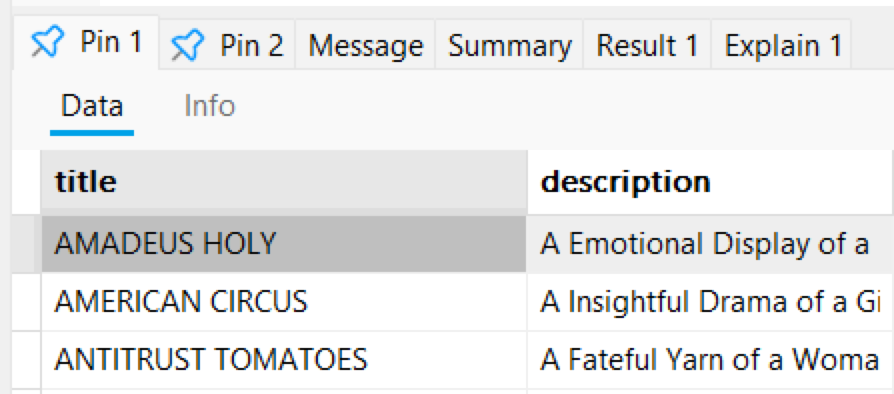
Freeze & Compare Result Snapshots
Pin result sets at a specific point in time along with their underlying SQL and execution runtime. Keep reliable, unchanged datasets open for in-depth analysis and easy comparison across query runs.