


Navicat UI
Navicat features a task-focused UI that provides a clear, guided route through your entire workflow. By eliminating clutter and friction, it keeps you in a seamless flow state - allowing you to navigate, query, and manage your data effortlessly.
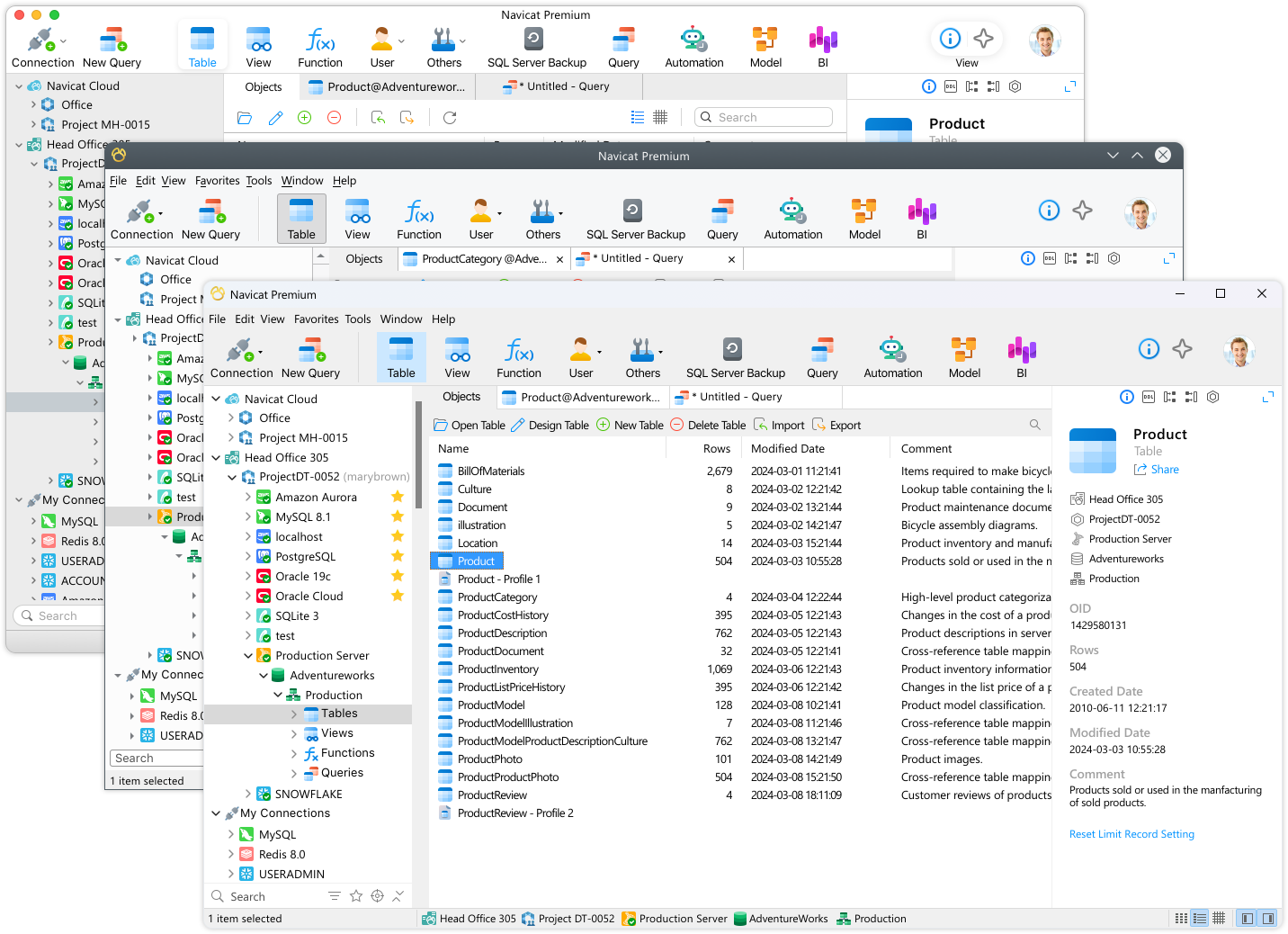
Native Design
Built specifically for Windows, macOS, and Linux. Experience lightning-fast responsiveness and system-level integration that feels like a natural extension of your OS.

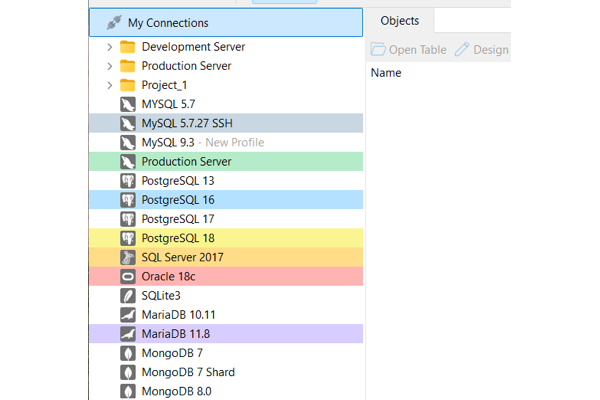
Connection Coloring
Color-code your connections to instantly identify your database environment at a glance. Your chosen color carries over to every object beneath that connection in the navigation tree and also directly onto open object tabs, so you always know exactly which system you are modifying.
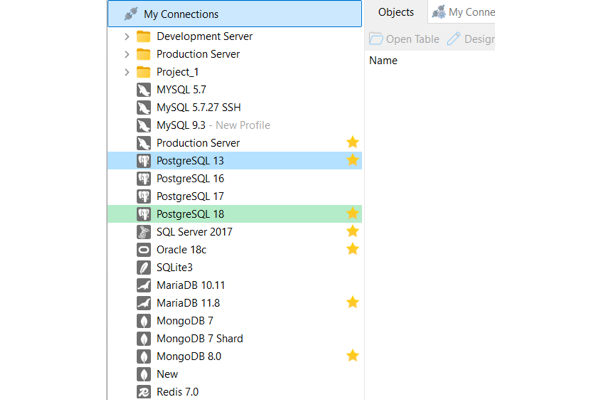
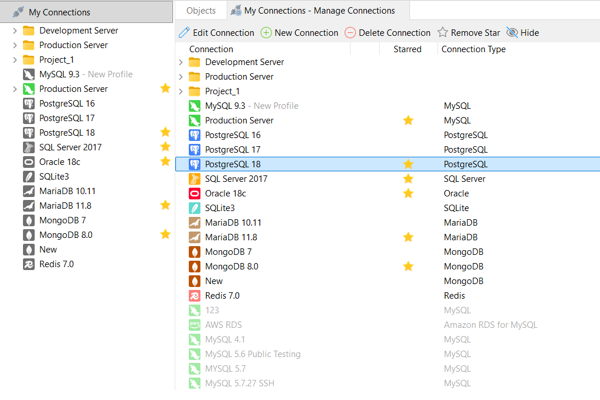
Add Star for Connections
Star your most important connections to find them in a flash. This allows you to quickly focus your navigation pane on your high-priority environments, making them incredibly easy to find.
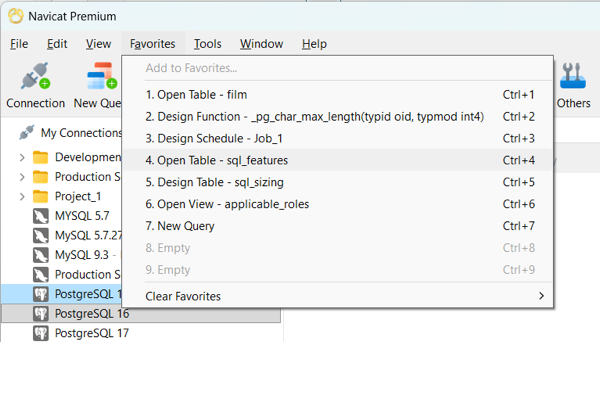
Add to Favorites
Add your frequently used objects and features - from database objects to tools like Model, BI, or Automation - to your Favorites list. Bypass deep navigation tree and jump straight to work with a single click.
Add your frequently used objects and features - from database objects to tools like Data Editor, Automation - to your Favorites list. Bypass deep navigation tree and jump straight to work with a single click.
Virtual Grouping
Group your connections and objects into logical categories without changing their physical database structures. This virtual organization ensures your actual database objects are safely preserved exactly where they are while giving you a highly structured, easy-to-navigate workspace.
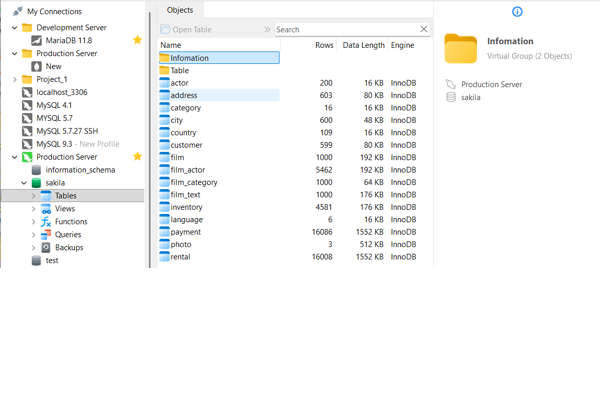
Hide Unused Connections
Keep your navigation pane clean and distraction-free by hiding connections you don't need for your immediate tasks, ensuring you only see what matters right now.
Search & Filter Tools
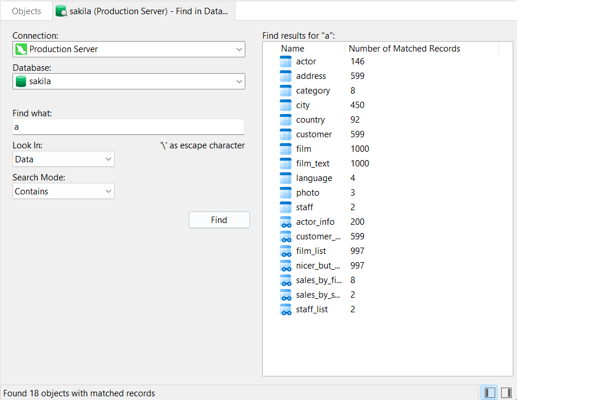
Find in Database / Schema
Deep-search across any targeted connection, database, or schema to instantly locate specific data records or structural definitions. Customize your search with precision matching modes - like Contains, Whole Word, Prefix, or Regular Expressions - with optional case-insensitivity to search exactly what you need.
Results are clearly highlighted in red, and a quick double-click on any result opens the corresponding object tab immediately for an unbroken workflow.
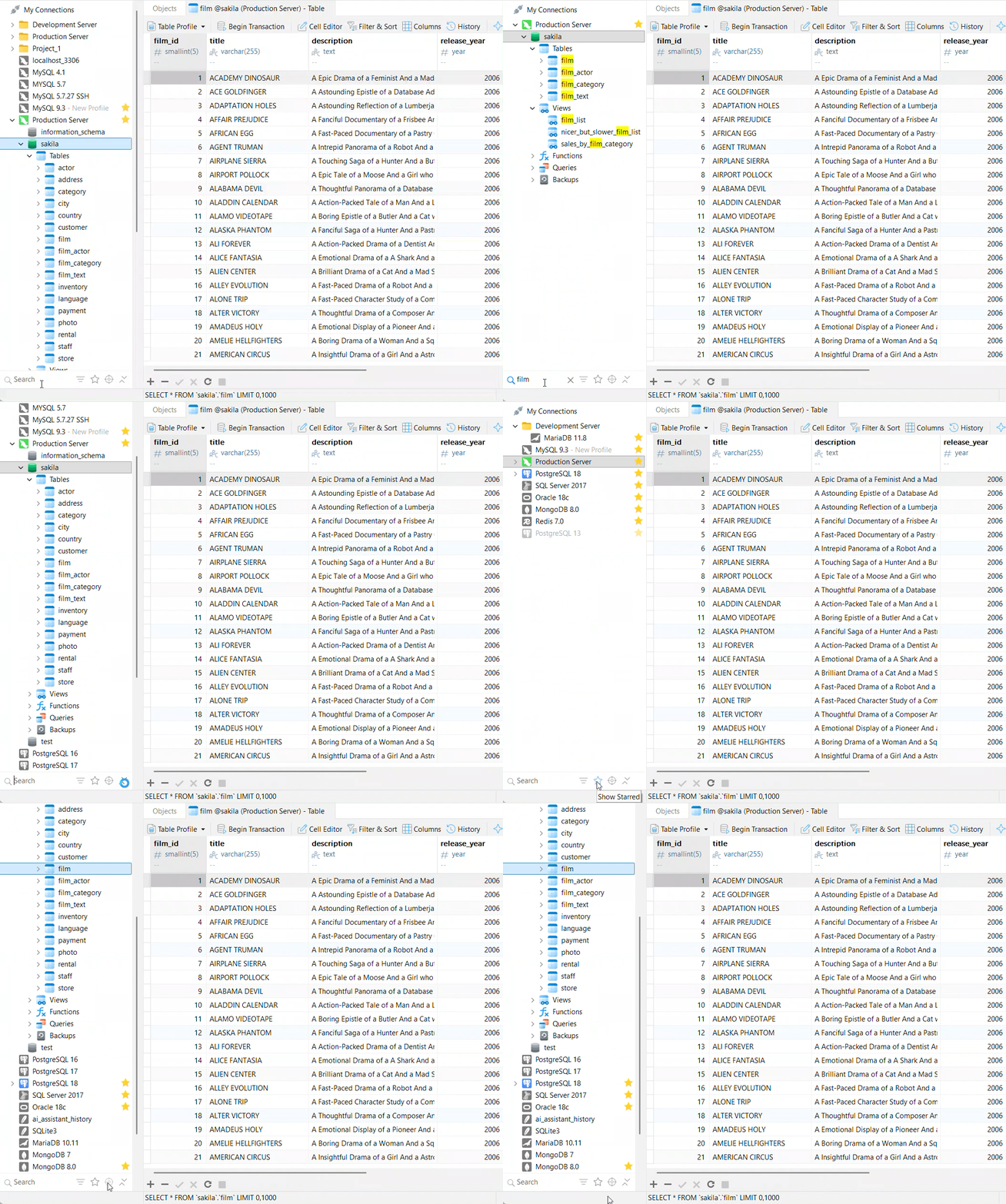
Filter Bar in Navigation Pane
Instantly isolate connections, groups, and database objects right within your navigation pane. As you type into the search box, your view dynamically filters while matching categories automatically expand to reveal your results.
Connection Filter: Filter your view by connection types, database vendors or active objects.
Show Starred: Toggle with a single click to display only your high-priority, starred connections.
Locate Active Tab's Object: Never lose your place. Instantly highlight and jump to the exact database object you are currently editing in your active tab.
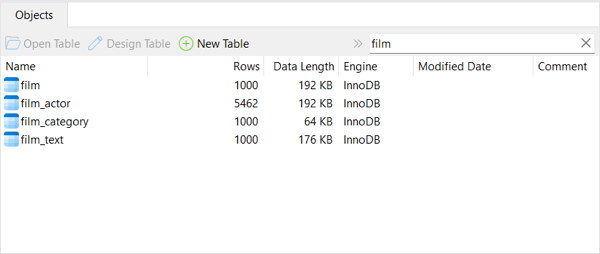
Contextual Search Filter
Find what you need instantly across every corner of Navicat without breaking your focus. Search filters are built right into your workspace views:
Direct Tree Search: Click anywhere in a tree view and start typing to jump directly to matching items.
In-Tab Filtering: Use the inline search box to dynamically narrow down items on screen.
Focus Mode
Reduce distractions and set clear boundaries for your work. Focus Mode removes everything from your screen except the active form or editor you are working on and enters full-screen mode, allowing you to dedicate your complete attention to the task at hand.
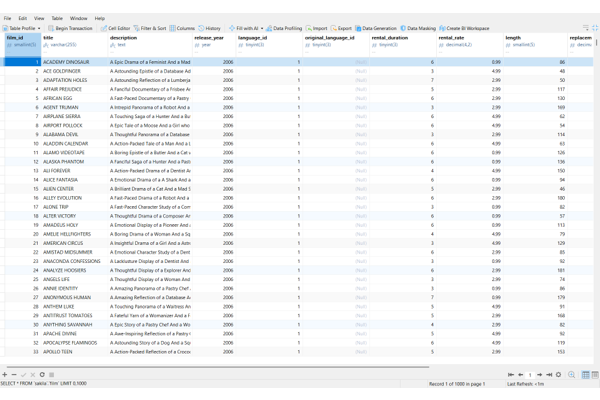
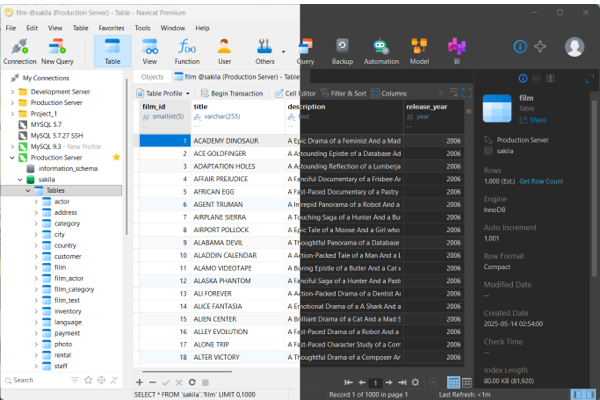
Color Themes
Choose the look that best fits your environment and working habits. Switch to the beautifully polished Dark Theme - which applies a darker color palette across all windows, views, menus, and controls to reduce eye strain during long hours - or stick with the classic, high-contrast Light Theme for a clean, traditional workspace.
Hot Keys
Work at the speed of thought with keyboard shortcuts for nearly every feature. Use our guide to quickly locate the exact shortcuts you need to streamline your tasks and minimize mouse clicks.
View the Comprehensive Hot Keys Guide